


Master Your Focus with the Cube Flip Timer
Optimize your daily routine, increase task productivity, and enjoy frictionless time management using intuitive physical flip mechanics.

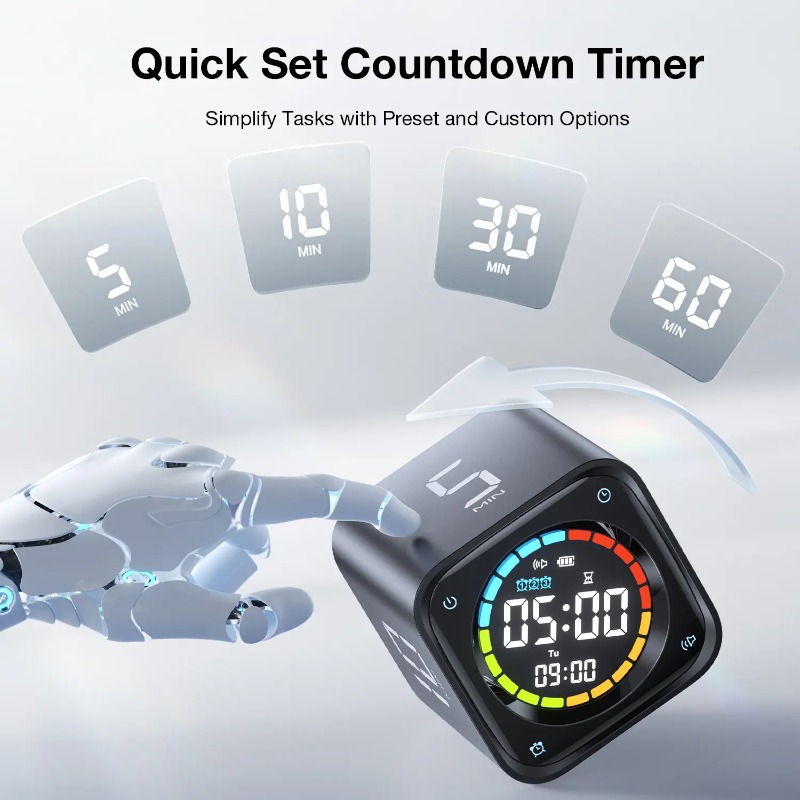
Instant Preset Flip Countdown
No tedious menu tapping or adjustment wheel turning. Simply turn the cube over so that your desired time interval (5, 10, 30, or 60 minutes) faces up, and the countdown automatically starts.
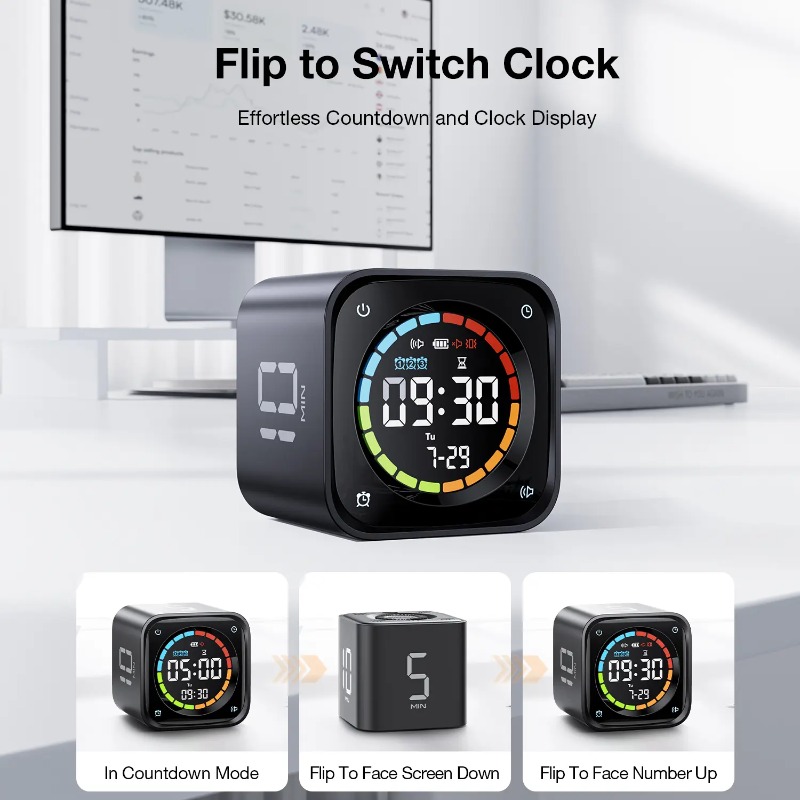
Seamless Pause & Clock Switch
Flip the cube face screen up to pause your active timer in case of interruptions, and flip the target number face up again to resume. Flip the screen face down to transition instantly back to the standard clock display.
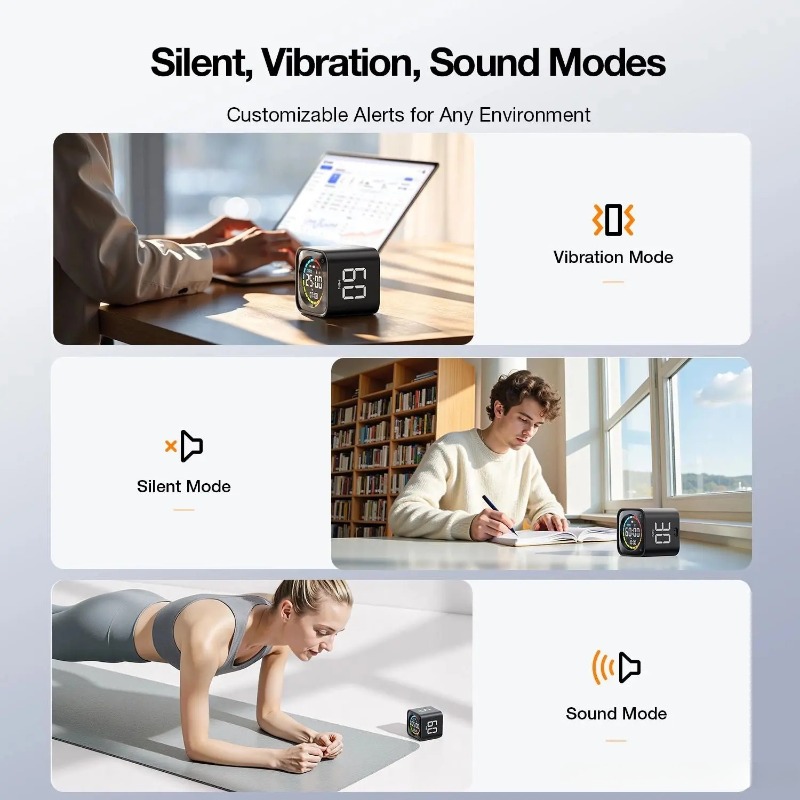
Silent, Vibration, & Audio Alert Modes
Stay disciplined without disturbing those around you. Switch between audio notifications, subtle vibrations, or silent screen flashes to easily suit quiet offices, libraries, workspaces, or workouts.
Customize Your Desktop Setup
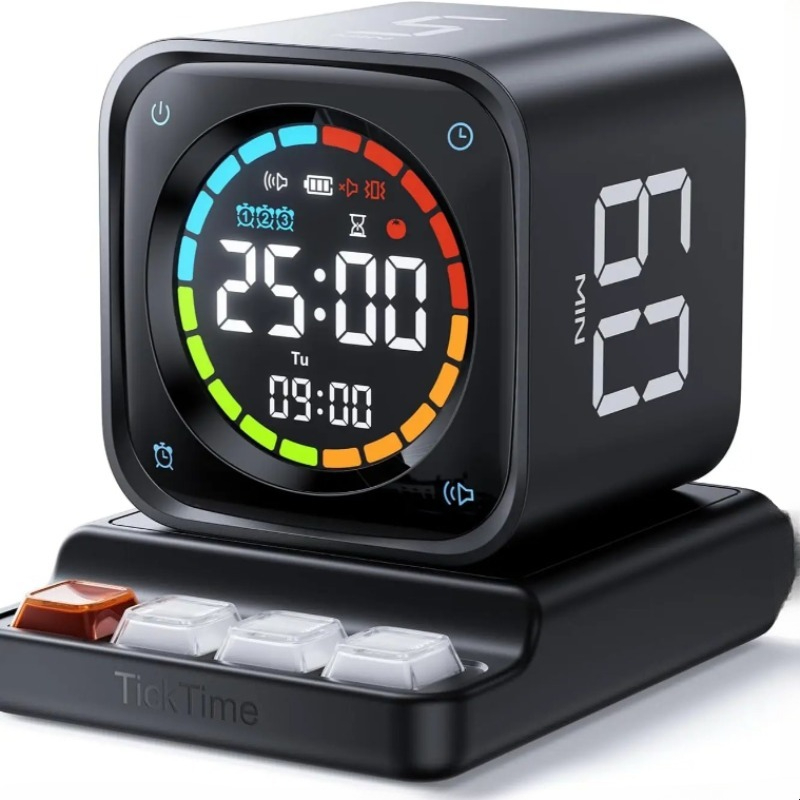
Sleek Black Model
Available as a standalone unit with Type-C direct cable charging, or bundled with a satisfying mechanical keycap charging dock.
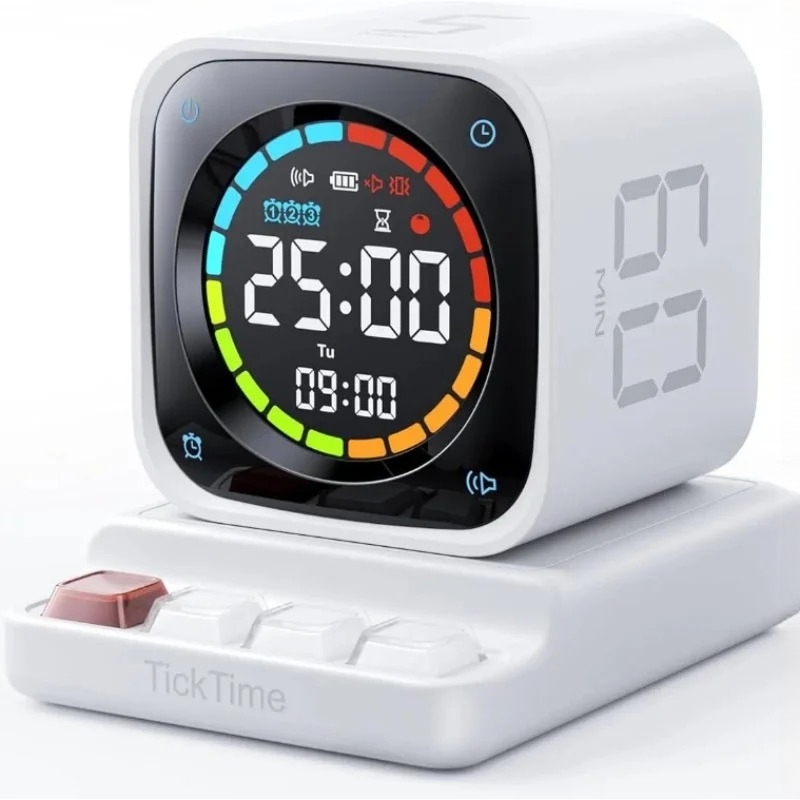
Classic White Model
Clean, elegant white colorway. Choose either direct charging or base charging configuration with a tactile mechanical keyboard-style keypad.
Product Specifications
| Battery Capacity | 1400mAh |
| Charging Duration | Approximately 3 Hours |
| Preset Options | 5, 10, 30, and 60 minutes |
| Alert Notifications | Silent mode (Flashing LED), Vibration mode, Sound alert mode |
| Alarms | Up to 3 customizable daily alarm schedules |
| Housing Material | Durable Plastic |
| Color Variations | Black / White |
Frequently Asked Questions
How does the flip countdown function operate?
The cube design features pre-programmed physical countdown panels. Simply turn the unit so that the target number of minutes (5, 10, 30, or 60) faces up to start counting down immediately.
How can I pause or resume an active timer?
Simply flip the device so that the screen is pointing upward. To resume timing without losing your spot, flip the desired numerical panel facing upward again.
Does the charging dock serve as a practical desk tool?
Yes, the mechanical charging base is specifically integrated with a tactile mechanical keyboard layout. The clicky buttons serve as reliable functional settings controls as well as a satisfying physical stress-reliever on your desk.